
Implement AI Without The Stress:
Get Free AI Implementation Playbook

Claude vs. Microsoft Copilot for Excel: Which One for Your Work?

Published on
March 13, 2026
Updated on
March 13, 2026
Claude vs. Microsoft Copilot for Excel: Which One for Your Work?
Claude and Microsoft Copilot both work in Excel. Here's what each one actually does well, where each falls short, and how to choose between them.

AI has officially colonized the spreadsheet. What used to require hours of formula-hunting, tab-hopping, and Stack Overflow searches can now be described in plain English to an AI assistant. The question now is which tool to use?

The two front-runners are Microsoft Copilot (native, built right into the ribbon) and Anthropic's Claude (an add-in that runs in a side panel). They look similar from the outside. They are very different on the inside. This post breaks down what each one actually does well, where each one falls apart, and how to choose without wasting money or time.

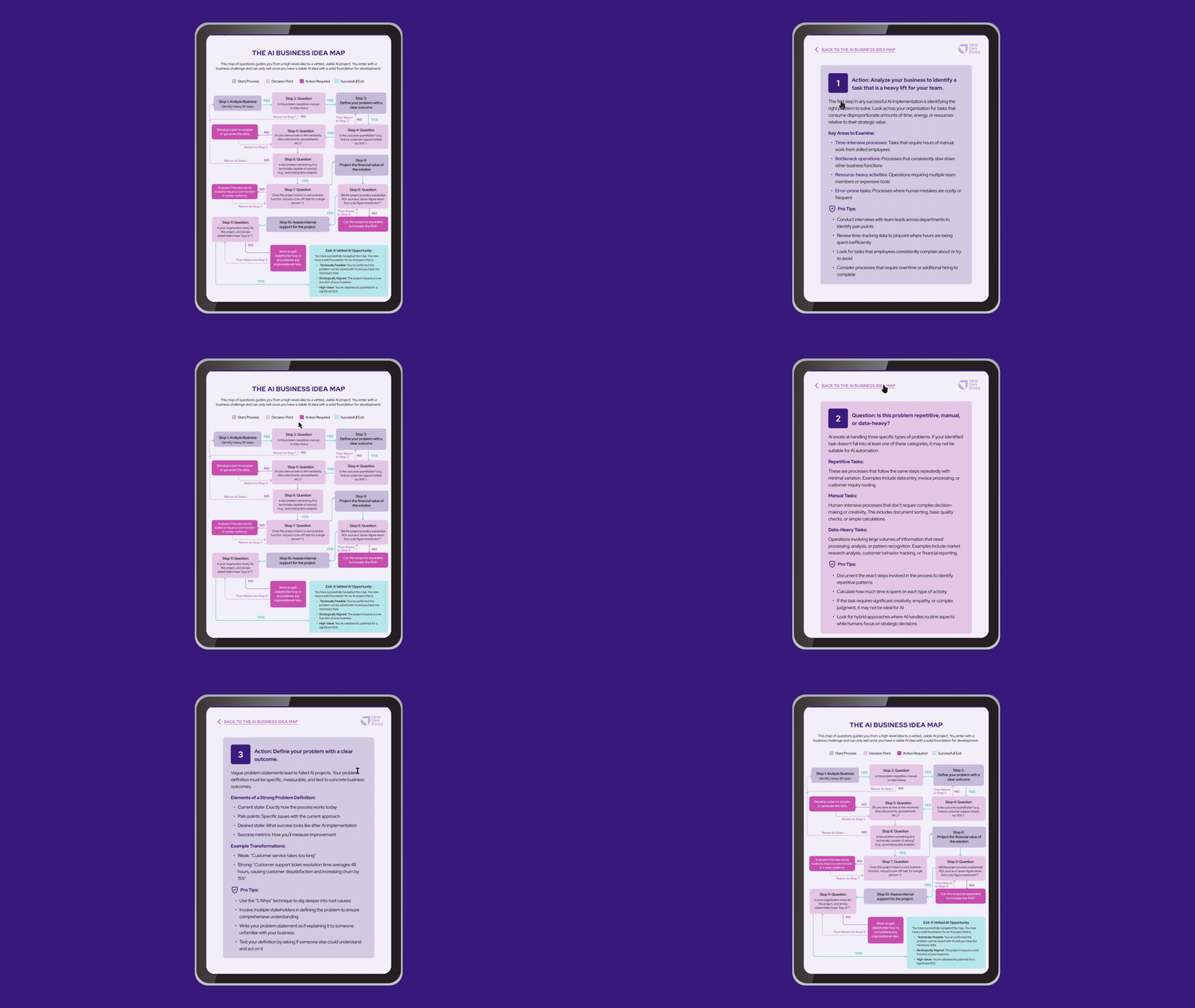
If you're still figuring out where AI fits into your workflows at all, we put together a practical framework for choosing your first (or next) AI project that's worth a read before diving in.
How they're built (and why that matters)

Copilot is wired directly into Excel. It reads your workbook through Microsoft Graph, knows what's on SharePoint and OneDrive, can pull in context from your Outlook emails and Teams chats, and edits the grid directly when you give it a command. That native integration is genuinely powerful. It's also the source of its biggest limitation: Copilot requires your file to be saved to OneDrive or SharePoint with Auto-Save turned on. If your file lives on a local drive, a common setup for analysts stress-testing sensitive models before pushing to a shared server, Copilot simply doesn't function.

Claude runs as a side-panel add-in. It reads your workbook's state, reasons through the logic, and then proposes changes for you to review and apply. It doesn't have the native grid-editing rights Copilot has, but it also doesn't require cloud storage. Files on your local hard drive work fine.

The more interesting architectural difference is how each tool reaches outside Excel. Copilot stays largely within the Microsoft 365 walled garden. It's excellent at that ecosystem and limited outside it. Claude connects to the outside world through the Model Context Protocol (MCP), an open standard that lets it pull live data from financial terminals like FactSet, S&P Global, PitchBook, and Moody's directly into your spreadsheet. For professionals who work across data sources that aren't Microsoft products, this is a meaningful distinction.

Where Claude wins: complex, high-stakes analytical work

Real financial models are rarely clean. They're built incrementally by multiple people, carry years of accumulated workarounds, and distribute logic across tabs in ways that even the original author sometimes can't fully reconstruct. Claude was designed with that kind of environment in mind. It reads the whole workbook, maps how pieces relate to each other, and reasons from that complete picture before suggesting anything. That's what makes the use cases below possible.

Multi-sheet financial models with circular dependencies

This is where Claude earns its reputation. Large financial models don't keep all their logic in one place. They cascade across tabs, reference each other circularly, and break in ways that are genuinely difficult to trace. Claude excels at holding this entire structure in mind simultaneously, mapping dependencies, identifying the precise cell where logic breaks, and explaining not just what is wrong but why.

Users in FP&A forums and the Wall Street Oasis community report that tasks like building an indirect cash flow statement from raw P&L and balance sheet data, work that traditionally takes a full week, are being compressed to a single afternoon. The consensus across technical communities is consistent: Claude handles the "complex kind [of models] with circular references and logic spread across 10 sheets where one wrong cell ruins everything." Copilot, in the same situations, frequently returns results described bluntly as "ages behind" or straight-up "trash" for real financial modeling.

The Claude Log: audit trails for regulated environments

One of Claude's more underrated features is the automatic generation of a dedicated "Claude Log" tab in your workbook. Every action, recommendation, and transformation Claude takes gets recorded there chronologically, with cell-level citations. For anyone working in banking, healthcare, or any regulated industry where the provenance of a calculation matters as much as the calculation itself, this is significant. You're not blindly trusting AI output. You have a timestamped record of every reasoning step you can verify against specific spreadsheet coordinates.

Power Query M-code

Power Query is the backbone of modern Excel data transformation, handling datasets that exceed the grid's row limit and automating complex ETL pipelines. The underlying M-code language, however, is notoriously difficult to write. Claude generates, optimizes, and debugs M-code fluently. Copilot's support here ranges from limited to nonexistent. For data engineers and analysts who live in Power Query, this gap alone justifies the separate subscription.

Working offline and on local files

As mentioned earlier, if your workflow involves keeping sensitive, work-in-progress models on a local drive before promoting them to a shared environment, Copilot is simply unavailable to you. Claude works on any file, anywhere.

Where Copilot wins: fast, everyday office work

Not every Excel task is a forensic challenge. A lot of work is formatting, charting, tidying up data, and making things presentable for a meeting. Copilot handles that category of work well, and because it's already sitting in the ribbon with no installation required, there's very little friction to getting started. Its other real advantage is context: because it lives inside Microsoft 365, it can see your emails, Teams conversations, and SharePoint files, and pull from all of that when you ask it something. No external add-in can replicate that.

Instant formatting, charts, and dashboards

Copilot's Agent Mode, introduced in early 2026, is genuinely impressive for visual output. You can describe what you want, "build a monthly budget tracker with categorized expenses, conditional formatting, and data bars," and watch it execute across the spreadsheet in real time, building the full structure without step-by-step guidance. For creating executive-ready visuals quickly, it's faster than any alternative.

Cross-app Microsoft 365 integration

This is Copilot's clearest advantage. Because it operates within Microsoft Graph, it can do things no external add-in can match: pull data from an email Sarah sent yesterday, summarize a Teams meeting into a structured table, or scan SharePoint for relevant documents and populate a tracker from them. If your daily workflow is deeply tied to Outlook, Teams, and SharePoint, Copilot has context that Claude simply cannot access.

Low friction for non-technical users

Copilot requires no setup, no separate subscription (beyond the M365 add-on), and almost no learning curve. For general business users, HR, marketing, operations teams, it handles the most common Excel tasks without requiring any understanding of how AI actually works. That accessibility has real organizational value when you're trying to lift the baseline productivity of a non-technical workforce.

Python in Excel for data science workflows

Copilot integrates with Microsoft's native Python in Excel environment, letting non-developers run statistical models, machine learning regressions, and predictive analytics using natural language prompts. Claude doesn't have a native equivalent here, though workarounds exist via Claude Code and xlwings.

You can also use Claude inside Copilot

In early 2026, Microsoft formalized something notable: Anthropic is now an officially sanctioned sub-processor for Microsoft Online Services. In practice, this means enterprise administrators can enable Claude models, specifically Sonnet 4 and Opus 4 variants, to power Copilot's Agent Mode directly, replacing the default GPT-5.2 model.

When this setting is active, users see an AI model switcher in the Copilot pane and can select Claude for tasks requiring heavy reasoning while staying inside the native Microsoft interface with full grid manipulation rights.

There are caveats. The selection resets to GPT-5.2 every time you close the workbook. The feature is disabled by default in EU/EFTA and UK environments due to data compliance regulations, and it's unavailable in government clouds pending FedRAMP certification. But for well-resourced enterprise teams, this hybrid setup is genuinely compelling: Claude's reasoning engine running inside Copilot's frictionless interface.

Acknowledged limitations of each tool

Claude's shortcomings are worth being direct about. It lacks any native image or video generation capability. It currently cannot write, read, or execute VBA macros, a meaningful gap for organizations running legacy banking systems built on VBA. The add-in interface itself still occasionally shows friction and sluggishness that can feel beta-grade. And the pricing is a real barrier: $20/month for the Pro tier is reasonable, but the Max tier ($100 to $160/month) required for 200,000-token context windows and priority Opus routing is hard to justify for anyone who isn't doing serious financial or data work daily.

Copilot's shortcomings are primarily in depth of reasoning. On complex workbooks, it repeatedly fails to grasp overarching structural logic, crashes or times out on memory-heavy files, and generates outputs that look correct but silently break multi-sheet dependencies. For casual tasks it's excellent; for rigorous financial engineering it frequently disappoints people who arrive expecting more.

Who should use what

Use Claude for Excel if you're a financial analyst, FP&A professional, data engineer, or anyone who regularly works with complex multi-sheet models, needs auditable outputs, uses Power Query heavily, or keeps sensitive files on local drives. The subscription cost is justified if your work involves even a few hours per week of the kind of deep analytical work Claude accelerates.

Use Microsoft Copilot if you want fast, friction-free task execution for everyday formatting, charting, and reporting, especially if your workflow relies on pulling context from Outlook and Teams. It's the obvious choice for organizations deploying AI broadly to non-technical staff where accessibility and cross-app integration matter more than analytical depth.

Consider the hybrid enterprise approach if you have the IT infrastructure to support it: enable Anthropic as a sub-processor in your Microsoft 365 Admin Center and let your power users switch to Claude for complex reasoning tasks while everyone else stays on the default Copilot experience.

Pricing at a glance

Claude Microsoft Copilot
Entry price $20/month (Pro) $20/month (Copilot Pro)
Enterprise $100 to $160/month (Max); custom for Team/Enterprise ~$25 to $30/user/month for M365
Data retention Zero-retention policy for enterprise Enterprise Data Protection; no training on tenant data
Works on local files Yes No (requires OneDrive/SharePoint)

The bottom line

The spreadsheet AI question isn't really "Claude or Copilot." It's "what kind of Excel work do you actually do?"

For tasks where speed, visual output, and Microsoft ecosystem integration are what matter, Copilot is already there and it works. For work where a wrong formula ruins a client deliverable, where the model spans a dozen tabs, or where you need to explain your math to a compliance team, Claude is operating on a different level.

The professionals who are getting the most out of both tools in 2026 aren't choosing between them. They're learning to reach for the right one depending on the task. That judgment, more than any single AI feature, is what separates efficient from exceptional.

If you're thinking about how tools like these could fit into broader workflows across your team or organization, that's a question worth exploring further. We work with companies on exactly that kind of problem through our AI Workflow Automation service.

Not sure yet whether AI is the right fit for a specific workflow or idea you have in mind? This framework for choosing your first AI project is a good place to start.

FAQ

Do I need a Claude subscription if I already have Microsoft 365?

Yes. Claude for Excel requires a separate Anthropic subscription (Pro at $20/month minimum). It's not included in any Microsoft 365 plan, even if your admin has enabled the Anthropic sub-processor integration.

Can Claude edit my spreadsheet directly, or do I have to copy-paste its suggestions?

Claude proposes changes through the side panel. You review and implement them. It does not have the autonomous grid-editing rights that Copilot's Agent Mode has. This is deliberate: Claude's advisory approach is part of how it maintains auditability.

Does Copilot work on Excel files saved to my desktop?

No. Copilot requires workbooks to be hosted on OneDrive or SharePoint with Auto-Save enabled. Files stored locally are not supported.

What is MCP and why does it matter for Excel?

The Model Context Protocol is an open standard that lets Claude establish secure connections to external APIs and databases. In Excel, this means Claude can pull live data from financial platforms like FactSet, S&P Global, or PitchBook directly into your workbook without any manual export or copy-paste.

Can I use Claude's reasoning inside the native Copilot interface?

In enterprise environments where an admin has enabled Anthropic as a sub-processor, yes. Users can switch to Claude models within the Copilot pane. The setting resets each session and isn't available in all regions.

AI has officially colonized the spreadsheet. What used to require hours of formula-hunting, tab-hopping, and Stack Overflow searches can now be described in plain English to an AI assistant. The question now is which tool to use?

The two front-runners are Microsoft Copilot (native, built right into the ribbon) and Anthropic's Claude (an add-in that runs in a side panel). They look similar from the outside. They are very different on the inside. This post breaks down what each one actually does well, where each one falls apart, and how to choose without wasting money or time.

If you're still figuring out where AI fits into your workflows at all, we put together a practical framework for choosing your first (or next) AI project that's worth a read before diving in.

How they're built (and why that matters)

Copilot is wired directly into Excel. It reads your workbook through Microsoft Graph, knows what's on SharePoint and OneDrive, can pull in context from your Outlook emails and Teams chats, and edits the grid directly when you give it a command. That native integration is genuinely powerful. It's also the source of its biggest limitation: Copilot requires your file to be saved to OneDrive or SharePoint with Auto-Save turned on. If your file lives on a local drive, a common setup for analysts stress-testing sensitive models before pushing to a shared server, Copilot simply doesn't function.

Claude runs as a side-panel add-in. It reads your workbook's state, reasons through the logic, and then proposes changes for you to review and apply. It doesn't have the native grid-editing rights Copilot has, but it also doesn't require cloud storage. Files on your local hard drive work fine.

The more interesting architectural difference is how each tool reaches outside Excel. Copilot stays largely within the Microsoft 365 walled garden. It's excellent at that ecosystem and limited outside it. Claude connects to the outside world through the Model Context Protocol (MCP), an open standard that lets it pull live data from financial terminals like FactSet, S&P Global, PitchBook, and Moody's directly into your spreadsheet. For professionals who work across data sources that aren't Microsoft products, this is a meaningful distinction.

Where Claude wins: complex, high-stakes analytical work

Real financial models are rarely clean. They're built incrementally by multiple people, carry years of accumulated workarounds, and distribute logic across tabs in ways that even the original author sometimes can't fully reconstruct. Claude was designed with that kind of environment in mind. It reads the whole workbook, maps how pieces relate to each other, and reasons from that complete picture before suggesting anything. That's what makes the use cases below possible.

Multi-sheet financial models with circular dependencies

This is where Claude earns its reputation. Large financial models don't keep all their logic in one place. They cascade across tabs, reference each other circularly, and break in ways that are genuinely difficult to trace. Claude excels at holding this entire structure in mind simultaneously, mapping dependencies, identifying the precise cell where logic breaks, and explaining not just what is wrong but why.

Users in FP&A forums and the Wall Street Oasis community report that tasks like building an indirect cash flow statement from raw P&L and balance sheet data, work that traditionally takes a full week, are being compressed to a single afternoon. The consensus across technical communities is consistent: Claude handles the "complex kind [of models] with circular references and logic spread across 10 sheets where one wrong cell ruins everything." Copilot, in the same situations, frequently returns results described bluntly as "ages behind" or straight-up "trash" for real financial modeling.

The Claude Log: audit trails for regulated environments

One of Claude's more underrated features is the automatic generation of a dedicated "Claude Log" tab in your workbook. Every action, recommendation, and transformation Claude takes gets recorded there chronologically, with cell-level citations. For anyone working in banking, healthcare, or any regulated industry where the provenance of a calculation matters as much as the calculation itself, this is significant. You're not blindly trusting AI output. You have a timestamped record of every reasoning step you can verify against specific spreadsheet coordinates.

Power Query M-code

Power Query is the backbone of modern Excel data transformation, handling datasets that exceed the grid's row limit and automating complex ETL pipelines. The underlying M-code language, however, is notoriously difficult to write. Claude generates, optimizes, and debugs M-code fluently. Copilot's support here ranges from limited to nonexistent. For data engineers and analysts who live in Power Query, this gap alone justifies the separate subscription.

Working offline and on local files

As mentioned earlier, if your workflow involves keeping sensitive, work-in-progress models on a local drive before promoting them to a shared environment, Copilot is simply unavailable to you. Claude works on any file, anywhere.

Where Copilot wins: fast, everyday office work

Not every Excel task is a forensic challenge. A lot of work is formatting, charting, tidying up data, and making things presentable for a meeting. Copilot handles that category of work well, and because it's already sitting in the ribbon with no installation required, there's very little friction to getting started. Its other real advantage is context: because it lives inside Microsoft 365, it can see your emails, Teams conversations, and SharePoint files, and pull from all of that when you ask it something. No external add-in can replicate that.

Instant formatting, charts, and dashboards

Copilot's Agent Mode, introduced in early 2026, is genuinely impressive for visual output. You can describe what you want, "build a monthly budget tracker with categorized expenses, conditional formatting, and data bars," and watch it execute across the spreadsheet in real time, building the full structure without step-by-step guidance. For creating executive-ready visuals quickly, it's faster than any alternative.

Cross-app Microsoft 365 integration

This is Copilot's clearest advantage. Because it operates within Microsoft Graph, it can do things no external add-in can match: pull data from an email Sarah sent yesterday, summarize a Teams meeting into a structured table, or scan SharePoint for relevant documents and populate a tracker from them. If your daily workflow is deeply tied to Outlook, Teams, and SharePoint, Copilot has context that Claude simply cannot access.

Low friction for non-technical users

Copilot requires no setup, no separate subscription (beyond the M365 add-on), and almost no learning curve. For general business users, HR, marketing, operations teams, it handles the most common Excel tasks without requiring any understanding of how AI actually works. That accessibility has real organizational value when you're trying to lift the baseline productivity of a non-technical workforce.

Python in Excel for data science workflows

Copilot integrates with Microsoft's native Python in Excel environment, letting non-developers run statistical models, machine learning regressions, and predictive analytics using natural language prompts. Claude doesn't have a native equivalent here, though workarounds exist via Claude Code and xlwings.

You can also use Claude inside Copilot

In early 2026, Microsoft formalized something notable: Anthropic is now an officially sanctioned sub-processor for Microsoft Online Services. In practice, this means enterprise administrators can enable Claude models, specifically Sonnet 4 and Opus 4 variants, to power Copilot's Agent Mode directly, replacing the default GPT-5.2 model.

When this setting is active, users see an AI model switcher in the Copilot pane and can select Claude for tasks requiring heavy reasoning while staying inside the native Microsoft interface with full grid manipulation rights.

There are caveats. The selection resets to GPT-5.2 every time you close the workbook. The feature is disabled by default in EU/EFTA and UK environments due to data compliance regulations, and it's unavailable in government clouds pending FedRAMP certification. But for well-resourced enterprise teams, this hybrid setup is genuinely compelling: Claude's reasoning engine running inside Copilot's frictionless interface.

Acknowledged limitations of each tool

Claude's shortcomings are worth being direct about. It lacks any native image or video generation capability. It currently cannot write, read, or execute VBA macros, a meaningful gap for organizations running legacy banking systems built on VBA. The add-in interface itself still occasionally shows friction and sluggishness that can feel beta-grade. And the pricing is a real barrier: $20/month for the Pro tier is reasonable, but the Max tier ($100 to $160/month) required for 200,000-token context windows and priority Opus routing is hard to justify for anyone who isn't doing serious financial or data work daily.

Copilot's shortcomings are primarily in depth of reasoning. On complex workbooks, it repeatedly fails to grasp overarching structural logic, crashes or times out on memory-heavy files, and generates outputs that look correct but silently break multi-sheet dependencies. For casual tasks it's excellent; for rigorous financial engineering it frequently disappoints people who arrive expecting more.

Who should use what

Use Claude for Excel if you're a financial analyst, FP&A professional, data engineer, or anyone who regularly works with complex multi-sheet models, needs auditable outputs, uses Power Query heavily, or keeps sensitive files on local drives. The subscription cost is justified if your work involves even a few hours per week of the kind of deep analytical work Claude accelerates.

Use Microsoft Copilot if you want fast, friction-free task execution for everyday formatting, charting, and reporting, especially if your workflow relies on pulling context from Outlook and Teams. It's the obvious choice for organizations deploying AI broadly to non-technical staff where accessibility and cross-app integration matter more than analytical depth.

Consider the hybrid enterprise approach if you have the IT infrastructure to support it: enable Anthropic as a sub-processor in your Microsoft 365 Admin Center and let your power users switch to Claude for complex reasoning tasks while everyone else stays on the default Copilot experience.

Pricing at a glance

Claude Microsoft Copilot
Entry price $20/month (Pro) $20/month (Copilot Pro)
Enterprise $100 to $160/month (Max); custom for Team/Enterprise ~$25 to $30/user/month for M365
Data retention Zero-retention policy for enterprise Enterprise Data Protection; no training on tenant data
Works on local files Yes No (requires OneDrive/SharePoint)

The bottom line

The spreadsheet AI question isn't really "Claude or Copilot." It's "what kind of Excel work do you actually do?"

For tasks where speed, visual output, and Microsoft ecosystem integration are what matter, Copilot is already there and it works. For work where a wrong formula ruins a client deliverable, where the model spans a dozen tabs, or where you need to explain your math to a compliance team, Claude is operating on a different level.

The professionals who are getting the most out of both tools in 2026 aren't choosing between them. They're learning to reach for the right one depending on the task. That judgment, more than any single AI feature, is what separates efficient from exceptional.

If you're thinking about how tools like these could fit into broader workflows across your team or organization, that's a question worth exploring further. We work with companies on exactly that kind of problem through our AI Workflow Automation service.

Not sure yet whether AI is the right fit for a specific workflow or idea you have in mind? This framework for choosing your first AI project is a good place to start.

FAQ

Do I need a Claude subscription if I already have Microsoft 365?

Yes. Claude for Excel requires a separate Anthropic subscription (Pro at $20/month minimum). It's not included in any Microsoft 365 plan, even if your admin has enabled the Anthropic sub-processor integration.

Can Claude edit my spreadsheet directly, or do I have to copy-paste its suggestions?

Claude proposes changes through the side panel. You review and implement them. It does not have the autonomous grid-editing rights that Copilot's Agent Mode has. This is deliberate: Claude's advisory approach is part of how it maintains auditability.

Does Copilot work on Excel files saved to my desktop?

No. Copilot requires workbooks to be hosted on OneDrive or SharePoint with Auto-Save enabled. Files stored locally are not supported.

What is MCP and why does it matter for Excel?

The Model Context Protocol is an open standard that lets Claude establish secure connections to external APIs and databases. In Excel, this means Claude can pull live data from financial platforms like FactSet, S&P Global, or PitchBook directly into your workbook without any manual export or copy-paste.

Can I use Claude's reasoning inside the native Copilot interface?

In enterprise environments where an admin has enabled Anthropic as a sub-processor, yes. Users can switch to Claude models within the Copilot pane. The setting resets each session and isn't available in all regions.

Alina Dolbenska
Alina Dolbenska
Content Marketing Manager
Alina Dolbenska
color-rectangles

Subscribe To Our Newsletter